
This article is to help the vendor to manage different problematic situations related to the integration of master data between its ERP and WEGOTRADE:
- Deactivated customer not replaced
- Notify WEGOTRADE by sending an email to support@wego.trade and ask to disable the customer with information of the customer number.
- Send the new customer in the integration and there will be an invitation to use WEGOTRADE that will be sent. The new customer will have to create a new account.
- Deactivated customer replaced
- Change the Customer number on the "Customer" section of the vendor interface.
 . Select the deactivated customer and replace the Customer number by the new one
 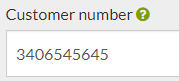 and press the save button.
- Make sure the new customer is flagged as integrated in WEGOTRADE.
- Change the Customer number on the "Customer" section of the vendor interface.
- Owner of multiple retailers with the same e-mail
- If you try to import a new customer using the same email that is already used by another user, you will get an error message. You can see these error messages in the Import log section
 by filtering on error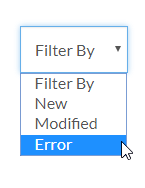
- To enable an owner to manage multiple retailers with the same account and e-mail, send an email to support@wego.trade with the customer numbers of the retailers that should manager a user and the email of the user. WEGOTRADE will be able to link the user to many retailers.
- If you try to import a new customer using the same email that is already used by another user, you will get an error message. You can see these error messages in the Import log section
Comments
0 comments
Please sign in to leave a comment.